
Light roaming day
Socials, maps, messages, and background music at sightseeing pace.
EscapeSIM trip tools
Shape a representative day online, multiply by trip length, and see which kind of prepaid data bundle is in scope before you checkout.
Each card plants a starting mix you can refine in the estimator—nothing is locked in.
Socials, maps, messages, and background music at sightseeing pace.

Video calls, inbox, and deep browser sessions between meetings.
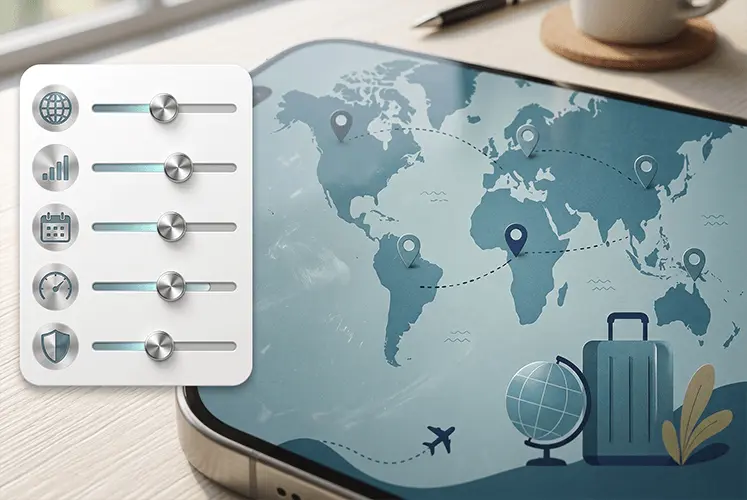
Clear every slider and build the mix that matches you.
We translate hours × typical bitrates into gigabytes per day, then project across your trip length.
Tweak hours below or jump back to the presets above—your trip length scales everything in the summary.
Hours per activity, per day
Projected total for this itinerary
Ballpark bundle size
Reality check Numbers lean on published averages for each activity. Real life shifts with carrier compression, adaptive bitrate, rogue background sync, and roaming partner networks. When in doubt, pad the estimate by ~20% before locking a plan.
Browse destination eSIMsWhy it matters
Mobile data is the metered throughput your handset negotiates directly with roaming partners—distinct from café Wi‑Fi because it hops carrier networks as you move between cities or countries.
Anything that pings the internet without Wi‑Fi pulls from whatever prepaid quota you stacked onto your EscapeSIM QR plan. Tiny habits add up: background photo backups, voicemail tests, Maps reroutes. That’s why we model daytime hours honestly instead of tossing a vague monthly statistic at you.

5.0
Adds up the three example rows below — dummy numbers, not your calculator
We multiply each activity’s hourly rate by the time you spend on it per day to land on a daily gigabyte figure. Multiply again by nights away and you suddenly have a traveller-specific total instead of whichever “average subscriber” statistic your cousin quoted.
Toggle a preset to seed realistic numbers, wipe the board for a handcrafted mix, or just nudge a single slider after a wild layover—you stay in charge the whole time.
We anchor every lane to broadly accepted consumption tables, then expose them plainly so nothing feels like marketing fluff. Tune the durations above and watch the donut respond in real time.
| Activity | Data per hour |
|---|---|
| Doom-scroll & stories | 150 MB |
| Cinematic streams (approx. 1440p @ 60) | 1 GB |
| Portable HD streams & clips @ 60 FPS | 1 GB |
| DSP high-quality streams | 100 MB |
| Turn-by-turn guidance | 10 MB |
| Desktop-style browsing | 50 MB |
| Realtime chat + push mail | 4 MB |
| HD-class VoIP video | 1 GB |
* * Industry comps change as codecs improve; treat these rows as directional guardrails—not carrier promises.
It depends on how you use your phone while travelling. Light users who mostly use maps, messaging, email and browsing may only need 1–3GB for a short trip. If you use social media often, stream music, upload photos or watch videos, you may need 5–20GB or more. This calculator gives you a practical estimate based on your own habits.
1GB can be enough for a short trip if you mainly use messaging, maps, email and light browsing. It will not last long if you watch videos, use TikTok or Instagram heavily, make video calls, or upload lots of photos and videos. For most travellers, 1GB is best treated as a light-use or backup amount.
As a rough guide, 1GB can cover many hours of messaging and browsing, several hours of music streaming, or much less time if you watch video. Video, social media autoplay, cloud backups and video calls can use data quickly, so your real usage depends heavily on what you do on your phone.
If the price difference is small, choosing a slightly larger plan can be worth it for peace of mind. Running out of data while travelling can be frustrating, especially if you rely on maps, transport apps, ride-share, hotel bookings or messaging. If you are unsure, choose a plan slightly above your estimate.
Some eSIMs support top-ups and some do not. This depends on the destination and provider. If top-ups are important to you, check the plan details before buying. If a plan does not support top-ups, you may need to purchase and install a new eSIM if you run out.
Some unlimited plans include fair use limits, speed reductions or daily high-speed caps. Always check the plan details carefully. A fixed-data plan can sometimes be clearer because you know exactly how much high-speed data is included before you buy.
Some plans may reduce speed after a daily or total high-speed allowance is reached, especially on unlimited-style plans. Fixed data plans are usually simpler: you receive a set amount of data, and once it is used, the plan ends or requires a top-up if supported. Always check the specific plan details.
No calculator can predict your exact usage, because app behaviour, video quality, background data and personal habits vary. Treat the result as a planning guide rather than a guarantee. If your estimate is close to a plan limit, it is usually safer to choose the next size up.
Video streaming, TikTok, Instagram Reels, YouTube, video calls, hotspot use and cloud photo backups usually use the most data. Maps, messaging, email and normal web browsing use much less. If you are trying to make your travel eSIM last longer, start by limiting video and automatic uploads.
Google Maps usually does not use much data for normal navigation, especially compared with video or social media. However, searching places, loading photos, satellite view and constantly refreshing routes can add up. Downloading offline maps before you travel can help reduce usage.
WhatsApp messages use very little data. Voice calls use more, and video calls can use a lot more. Sending photos, videos and voice notes will also increase usage. If you are on a smaller data plan, use Wi-Fi for long calls or large media uploads where possible.
Yes, social media can use a lot of data, especially apps with autoplay video such as TikTok, Instagram, Facebook and YouTube Shorts. Even quick scrolling can load many videos in the background. Turning off autoplay and uploading content on Wi-Fi can make a big difference.
Coverage does not usually change the size of a webpage, message or video, but poor signal can make apps retry, reload or buffer more often. This can waste some data and battery. For the best experience, use the strongest available network where manual network selection is supported.
Hotspot itself does not magically use more data, but connected devices often do. Laptops and tablets may run software updates, cloud sync, high-resolution websites and background downloads. If you share your eSIM with another device, your data can disappear much faster.
Yes. Apps can use mobile data in the background for notifications, photo backups, app updates, email sync, cloud storage and location services. Before travelling, turn off mobile data for apps you do not need, disable automatic backups on mobile data, and use low data mode if your phone supports it.
Use Wi-Fi for video, app updates and photo backups. Download offline maps, playlists and travel documents before you leave. Turn off video autoplay in social apps, avoid hotspot unless needed, and enable low data mode on your phone. These small changes can stretch your data much further.
No. This calculator is for estimating mobile data used through your eSIM. If you plan to use hotel, airport or café Wi-Fi often, your eSIM usage may be lower. If you prefer to stay connected without relying on public Wi-Fi, choose a larger data amount.
Usually, yes. A 3-day trip and a 30-day trip need very different amounts of data. Multiply your estimated daily usage by the number of travel days, then add a small buffer for unexpected use such as delays, navigation, hotspot sharing or extra social media uploads.

EscapeSIM is redefining mobile connectivity for travelers with an innovative eSIM marketplace. Say goodbye to expensive roaming fees and hello to fast and affordable access to data across 190+ countries with our easy-to-use digital SIM cards.
Send Us a MessageCompany
About us Contact us Blog Reviews Sitemap Privacy Policy Terms & Conditions Rewards Program Affiliate ProgramDownload Our App


© 2026 EscapeSIM