
How to Install Your eSIM
Follow these simple steps to install and activate your EscapeSIM eSIM
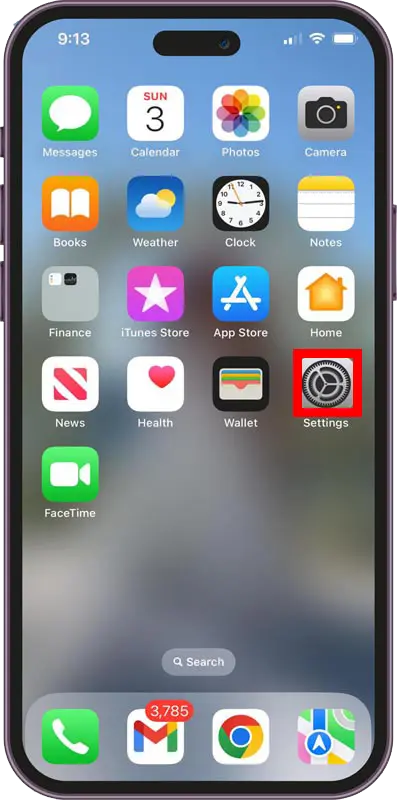
Step 1 / 12
From the home screen, tap on the Settings app.
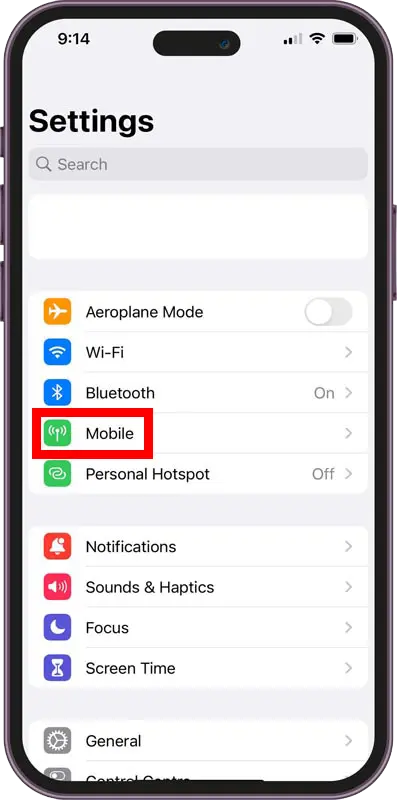
Step 2 / 12
From here, tap on Mobile/Cellular.
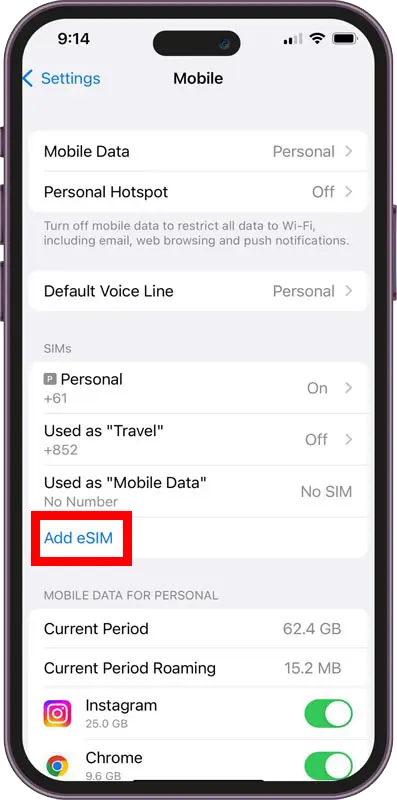
Step 3 / 12
Select Add eSIM.
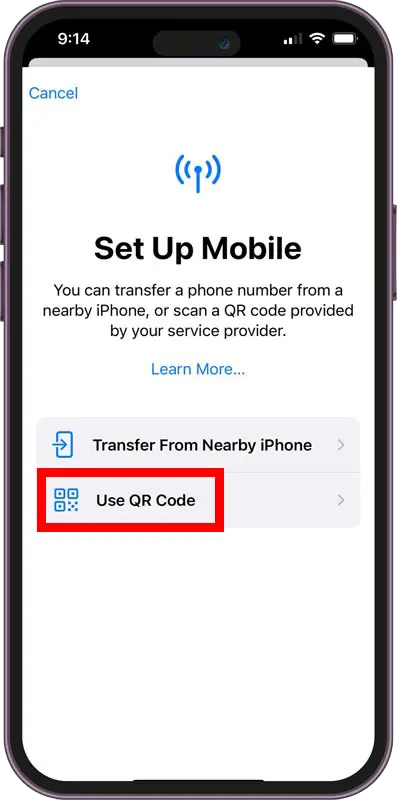
Step 4 / 12
Tap on Use QR Code.
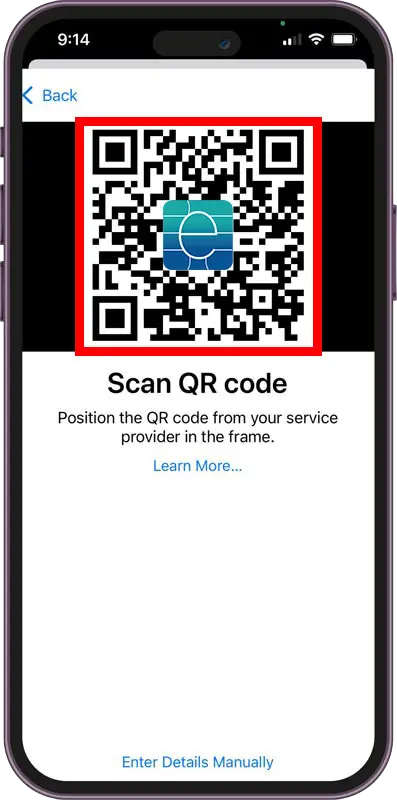
Step 5 / 12
Scan the QR code received via email.
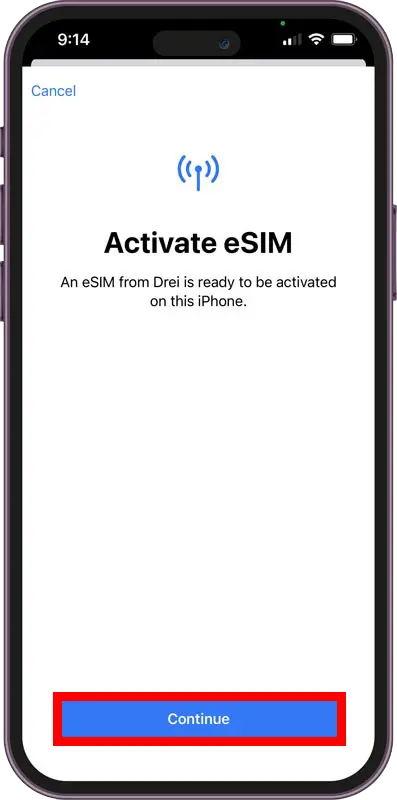
Step 6 / 12
When you see the description of the chosen provider, tap Continue.
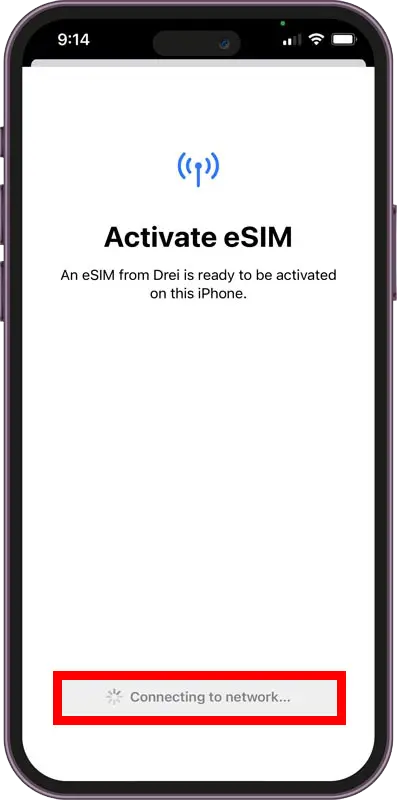
Step 7 / 12
Check status at bottom of screen until finished.
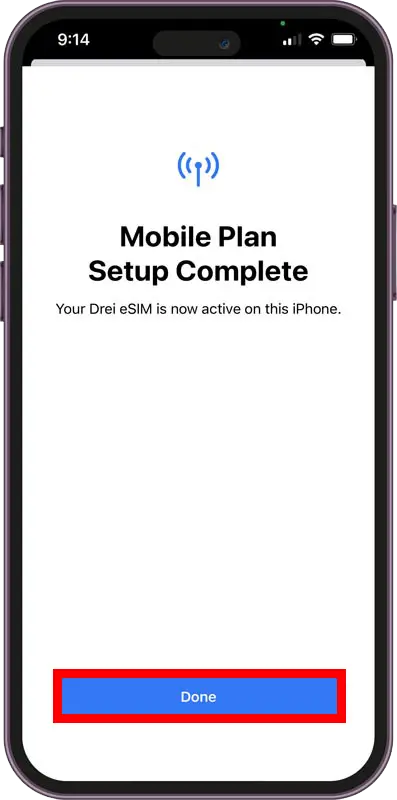
Step 8 / 12
Once complete, tap Done.
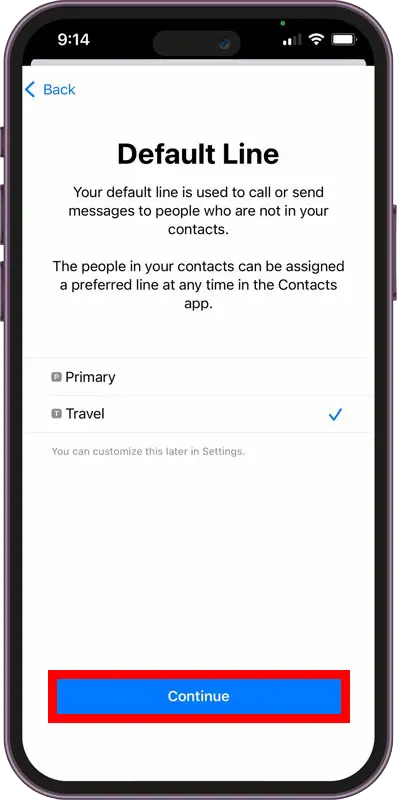
Step 9 / 12
Set default line for phone calls and SMS.
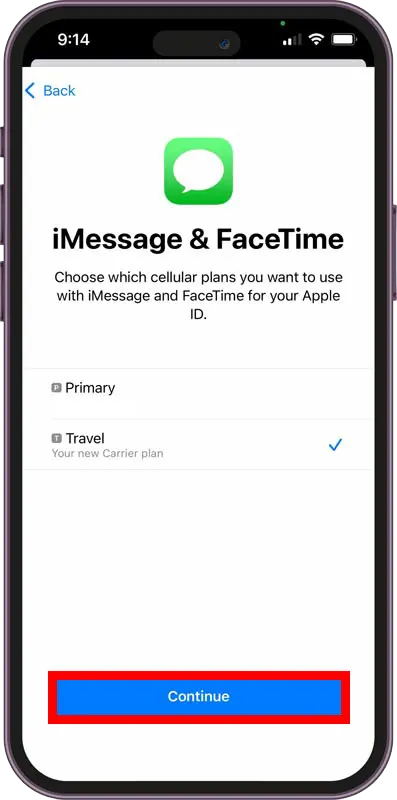
Step 10 / 12
Choose which plan for iMessage and FaceTime.
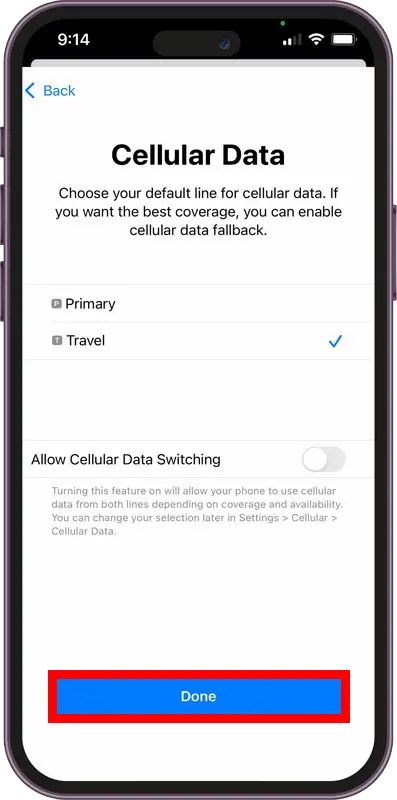
Step 11 / 12
Set default mobile data line to your eSIM.
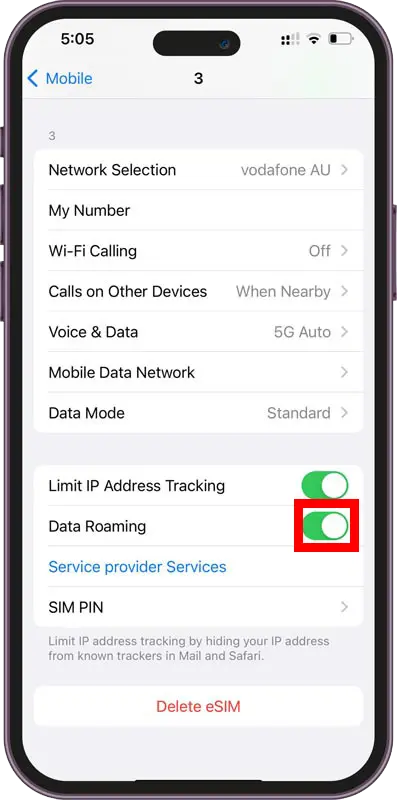
Step 12 / 12
Ensure Data Roaming is enabled for new eSIM.